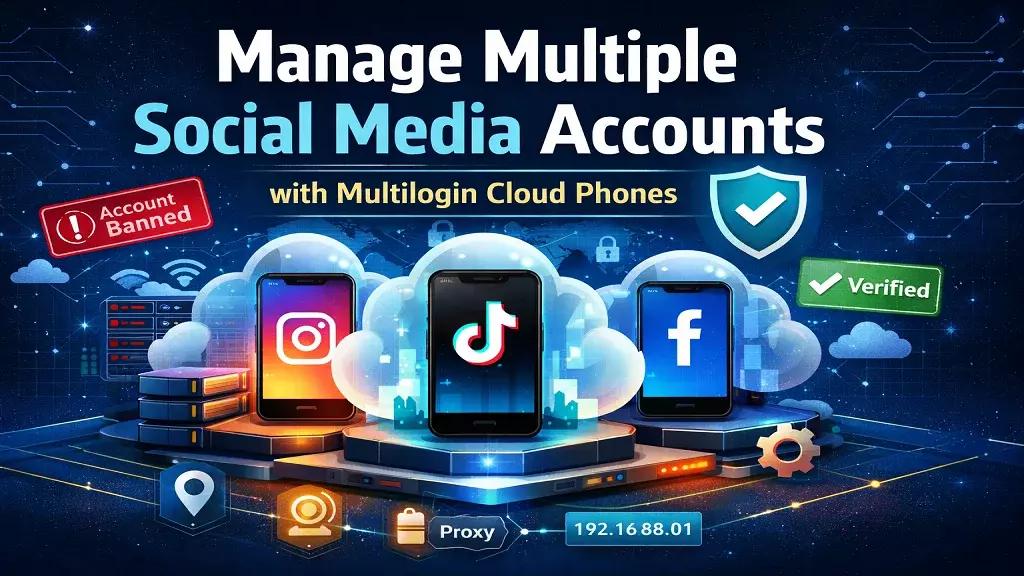
Struggling with account bans and verification prompts? Discover how Multilogin Cloud Phones isolate each social media account to prevent linking, restrictions, and cross-account risk.
Managing multiple social media accounts usually feels simple in the beginning. You create a few profiles, switch between them, post content, reply to messages, and move on. For a while, nothing breaks. Then something shifts. Sessions start expiring faster. Platforms ask for extra verification. One account gets restricted, and a second one follows even though you barely used it.
At that point, most people blame the content. They rewrite captions, slow down activity, or change posting times. The real issue is rarely the post itself. It is the environment behind the accounts. When several accounts share the same device, app data, IP behavior, or browser setup, platforms start seeing patterns. Those patterns create links. Once accounts look connected, risk spreads.
Multilogin Cloud Phones address that root problem. Instead of stacking accounts inside one phone or browser, each account runs inside its own Android cloud phone, a real Android device in the cloud, with the option to run web-based accounts through isolated browser profiles. That structure changes how accounts behave over time. If one account runs into trouble, the issue stays isolated.
You do not rebuild everything. You fix one environment and keep the rest stable. It's built for people and AI agents, so the same isolation holds whether you're logging in yourself or an automation tool is doing it for you.
Can you manage multiple social media accounts?
Yes, most platforms allow users to have more than one account. Many creators manage personal and business profiles. Agencies handle dozens of client accounts. Brands operate region-specific pages. On the surface, it is normal behavior.
The problems start when accounts are managed from the same environment for too long. Switching profiles inside one app means the same device ID, the same system history, and often the same network signals are reused repeatedly. At first, there is no visible consequence. Over time, small overlaps accumulate.
If you notice repeated verification prompts or random logouts, that is usually the first warning. If one account gets flagged and another suddenly faces restrictions, that is the second. The platform is not reacting to a single action. It is reacting to shared signals.
To manage multiple accounts safely, separation must happen at the environment level, not just at the login level.
Why managing multiple social media accounts gets complicated over time
In the early stage, everything feels under control. You switch accounts quickly. You handle comments. You publish content. Then activity increases. More accounts are added. Team members get involved. At that point, shortcuts begin.
Common patterns that cause instability include:
-
Logging into several accounts on the same phone
-
Using the same browser profile for different clients
-
Rotating proxies without keeping location consistent
-
Sharing passwords across team members
-
Logging out and back in repeatedly
Each of these actions creates small traces. None of them look dramatic alone. Together, they build a history that platforms analyze.
Over time, you might see:
-
Sessions that no longer stay logged in
-
Accounts asking for identity verification more often
-
Suspensions spreading from one account to others
-
Content reach dropping without clear explanation
When this happens, do not just change content strategy. Review the setup. Ask yourself: are these accounts truly separated, or are they living on the same foundation? If the foundation is shared, that is where the fix must begin.
Why managing multiple social media accounts requires separation
Platforms have become more consistent in how they evaluate accounts. They do not look only at what you post. They look at how the account behaves across sessions. Is the device consistent? Is the network stable? Does the account always return from the same type of environment?
TikTok and Instagram go a step further: as mobile-first apps, they read device sensor signals — movement patterns, tap timing, hardware identifiers — that only a real device can produce. A browser tool, however well configured, cannot fake those signals.
If an account logs in from different system states every week, it starts to look unstable. If multiple accounts share identical signals, they start to look connected.
A dedicated environment solves that. One account lives inside one environment. That environment keeps its own app data, storage, and device parameters. When the account returns, it looks familiar to the platform because nothing underneath has changed.
Stability comes from consistency. Consistency comes from isolation.
What a cloud phone is and why it protects your social media accounts
If you manage social media for clients or multiple brands, you quickly run into device limits. Instagram and TikTok both cap how many accounts you can realistically switch between on one device before sessions start becoming unstable.
Once you pass that point, you start logging out and back in, sessions expire more often, and verification requests increase. A large part of your time goes into simply accessing accounts instead of actually working on them.
A cloud phone gives each account its own separate space. Instead of stacking multiple profiles inside one device, you create individual environments and log into each account once. When you return later, everything is still there. The session remains active, the app stays installed, and you continue from where you stopped without repeating the login process.
Soon, with Multilogin, you can start on the Free plan — no time limit, no credit card required — and get cloud phones, browser profiles, built-in proxies, and mobile minutes to try the workflow yourself. Sign into your dashboard and create as many profiles as your workflow requires. Mobile-first accounts run inside Android cloud phones for native app management, while web-first accounts run through browser profiles.
Everything is organized in one place, so you are not switching between physical devices or constantly resetting sessions. When you're ready to scale, paid plans start from $7.08/month billed annually, with cloud phones, browser profiles, and built-in proxies included in one subscription rather than billed as separate tools.
This approach removes device limits and reduces friction as you grow. Instead of trying to squeeze more accounts into the same setup, you expand by adding new profiles, keeping each account stable and separated from the others.
How Multilogin Cloud Phones work for multiple social media accounts
Multilogin Cloud Phones follow a clear principle: one account per cloud phone.
You launch a cloud phone, a real Android device running in the cloud. You install the platform's native app. You log in once. From that moment, the account stays inside that environment.
There is no switching between accounts inside the same phone. There is no overlapping app data. If an account is restricted, the restriction affects only that cloud phone.
In practice, this means:
-
Each account has its own Android environment
-
Sessions reopen exactly where you left them
-
Other accounts remain unaffected if one has an issue
If you get banned on one account, the first thing to review is that specific environment. Was location stable? Was activity aggressive? You fix the issue inside that cloud phone. You do not panic and rebuild everything else.
That containment is what prevents operational chaos.
Key benefits of using Multilogin cloud phones for social media growth
Managing multiple social media accounts should not feel risky or chaotic. Multilogin Cloud Phones help you keep accounts separated, stay logged in without constant verification, manage mobile and browser workflows in one place, and grow without hitting device limits. Below are the main benefits you get when you structure your accounts this way.
Manage mobile apps and web accounts in one place
Most workflows today require both mobile apps and browser access. You might post through the native app but handle analytics or ads in a browser.
With Multilogin, mobile-first platforms, TikTok, Instagram, and Facebook, run inside dedicated Android cloud phones, where native apps detect real device signals that no browser can produce. Web-first platforms like Reddit and YouTube, along with Facebook's web and Business Manager workflows, run inside isolated browser profiles, each with its own cookies, session, and IP. Both are managed from the same dashboard.
This matters because it avoids tool fragmentation. Instead of using separate services for mobile isolation and browser fingerprint control, everything lives under one system. That reduces the risk of misconfiguration and accidental overlap.
When structure is centralized, management becomes clearer.
Run social media accounts from the location you choose
Sudden location changes are a common trigger for instability. If an account logs in from one country today and another tomorrow without explanation, verification becomes more likely.
Each cloud phone comes with a built-in residential proxy, included in every plan, so there's no separate proxy service to configure. The IP and geolocation are matched automatically and stay consistent across sessions, signaling normal usage instead of a suspicious jump.
If you are managing accounts for different regions, assign each account a location from the beginning and keep it stable. Avoid frequent changes unless there is a clear reason. Consistency over time is more important than constant rotation.
Manage multiple accounts without device limits or constant verification
Growth often breaks setups because people try to stack new accounts into old environments. That shortcut creates overlap.
The correct way to scale is simple: add new environments instead of reusing existing ones. When you need five more accounts, you launch five more cloud phones. Existing accounts remain untouched.
This approach keeps risk contained. It also saves time in the long run. Instead of rebuilding accounts after a wave of bans, you maintain stability from the start.
Scaling should increase capacity, not increase risk.
Managing multiple social media accounts from one dashboard
As the number of accounts grows, visibility becomes critical. You need to know which accounts are active, which are paused, and who is responsible for each one.
Multilogin provides a unified dashboard where you can:
-
Launch and pause cloud phones
-
Organize accounts by project or client
-
Monitor active sessions in real time
Clear organization reduces mistakes. When you always know which account is running, accidental actions become less frequent.
Team access and account ownership
Team collaboration is another common failure point. Sharing passwords through chat or email leads to confusion and security issues.
With cloud phones, access is assigned at the environment level. A team member is given access to a specific cloud phone, not just login credentials. That keeps ownership clear. Business plans include unlimited team seats, so this scales without extra per-seat cost as your team grows.
If someone leaves the team, you remove their access. The account remains logged in inside its cloud phone. No resets are required.
This structure protects both security and continuity.
Use automation without risking your accounts - built for people and AI agents
If you manage many social media accounts, automation can save hours every week. You might schedule posts, auto-publish content, send bulk messages, or connect AI agents to handle repetitive work.
The risk appears when all accounts run from the same device or setup. If automation sends too many actions from one shared environment, platforms can see unusual patterns. When one account triggers a warning, others that share the same setup may also get affected.
With Multilogin, each account runs inside its own cloud phone, and each cloud phone supports full ADB access, so automation tools and AI agents can connect directly to a profile and operate it the way a human would. You can integrate Selenium, Playwright, Puppeteer, or Postman, or use the API to create profiles, install apps, and manage accounts at scale.
That means automation is separated by design. If one account makes too many actions or hits a limit, only that account is impacted. The rest stay stable because they are not connected through the same device or session history.
Whether a person is running the account or an AI agent is, the most important rule is simple: automate like a human. Keep actions steady, avoid sudden spikes, and do not try to grow everything overnight.
Automation should reduce your workload while keeping your accounts safe. When each account has its own environment, you can automate with more confidence instead of worrying about cross-account problems.
What stable multi-account management looks like
When your setup is built properly, you feel the difference immediately. Accounts stay logged in. You stop dealing with random verification prompts. One issue does not spread across everything you manage.
A healthy structure looks like this:
-
Each account has its own separate space instead of sharing one device
-
You open an account and continue from where you left off
-
Locations stay consistent instead of jumping between countries
-
Team members know exactly which accounts they manage
-
When you add new accounts, you create new spaces instead of stacking them on old ones
If one account runs into trouble, you fix that single account. You do not reset everything. You do not panic. You do not rebuild your entire workflow.
Final verdict
Most multi-account failures are structural, not behavioral. Reusing the same device, switching accounts inside one app, and stacking profiles inside shared environments create hidden links. Those links grow stronger over time.
Multilogin Cloud Phones replace that fragile model with isolation. Each account lives in its own Android environment with its own history and session state, with built-in proxies and mobile minutes included, so nothing extra needs to be sourced separately. When one account faces a problem, it stays contained.
In 2026, managing multiple social media accounts safely is not about tricks. It is about design. One account. One environment. Stable signals over time. When the structure is correct, the work becomes predictable instead of reactive — for you, your team, and any AI agents working alongside you.
FAQs: Manage multiple social media accounts
Can you legally manage multiple social media accounts?
Yes, most social media platforms allow users to create and manage more than one account. Many professionals operate separate accounts for different brands, regions, or audiences. The issue is not the number of accounts. The issue is how they are managed behind the scenes. When several accounts share the same device environment or network behavior for long periods, they begin to look connected. Managing multiple accounts becomes risky only when structural separation is missing.
Why do social media accounts get linked over time?
Accounts get linked when they repeatedly share the same technical signals. This includes device identifiers, app data, browser fingerprints, and network patterns. Even if you log out between sessions, the underlying environment remains the same. Over time, platforms detect consistent overlaps in these signals and interpret them as shared ownership. Linking does not usually happen after one action. It builds gradually as accounts continue operating from the same foundation.
Is switching between accounts inside one app safe for long term use?
Switching accounts inside a single mobile app can work in the early stages, especially when activity is low. However, all accounts are still operating from the same device and system history. As usage increases, this repeated reuse creates overlap in app storage, cache behavior, and login patterns. That overlap increases the chances of verification prompts, session drops, or account restrictions. For long term stability, each account needs its own environment instead of sharing one.
How many social media accounts can be managed with cloud phones?
There is no fixed ceiling. Each cloud phone represents one independent Android environment. If you need ten accounts, you use ten cloud phones. If you need one hundred, you scale by adding more environments. The key advantage is that growth does not require reusing or restructuring existing accounts. Each new account gets its own space, and existing accounts remain untouched. Stability remains consistent as volume increases.
What should you fix first if one of your accounts gets banned?
Start by reviewing the environment where that specific account was running. Check whether it shared device signals with other accounts. Look at location consistency, login frequency, and activity spikes. If the banned account was operating inside a shared setup, the structural issue needs to be corrected before creating a replacement. If it was already isolated inside its own cloud phone, the impact stays limited. You adjust activity or network behavior for that single environment without disrupting the rest of your accounts.
Can teams safely manage multiple accounts together?
Yes, but only when access is structured properly. Sharing passwords across messaging apps creates confusion and increases security risk. A better approach is assigning team members access to specific environments rather than login credentials. When each account runs inside its own cloud phone, team access can be granted or removed without logging out or resetting sessions. This keeps ownership clear and prevents accidental overlap between accounts.
Do cloud phones support both mobile apps and browser workflows?
Yes. Social media management often requires both native app activity and browser-based tasks such as analytics, ads management, or scheduling. Cloud phones run the native Android app in a persistent environment for platforms like TikTok, Instagram, and Facebook, while platforms like Reddit and YouTube can run in dedicated browser profiles. Managing both from one dashboard ensures that mobile and web workflows stay separated yet organized under one structure.
How much does Multilogin cost?
Multilogin offers a Free plan with no time limit and no credit card required, which includes cloud phones, browser profiles, built-in proxies, and mobile minutes. Paid plans start from $7.08/month when billed annually, with full platform access included in one subscription rather than billed as separate tools for proxies, browser profiles, or usage time.