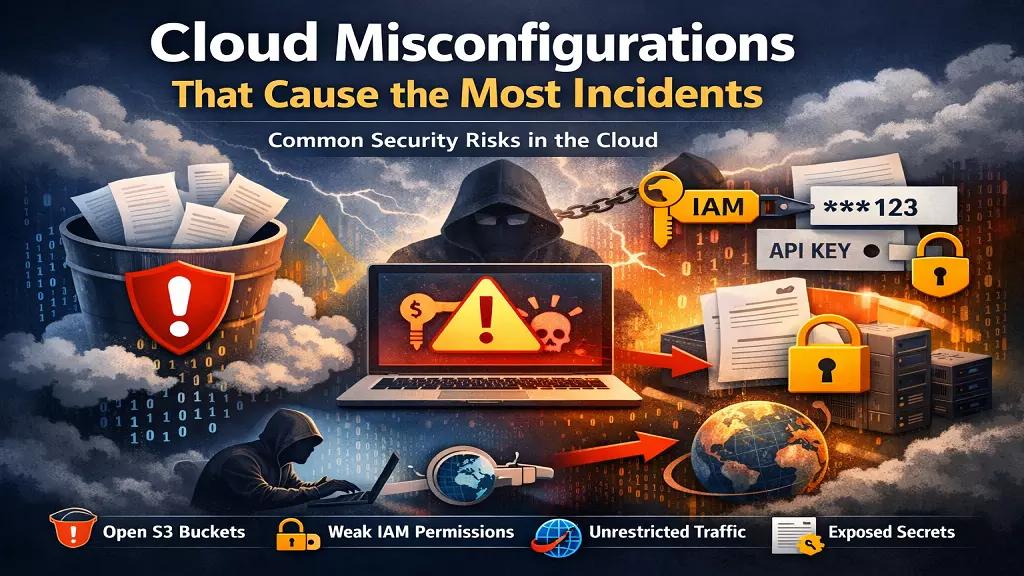
Cloud computing offers unprecedented agility and scale, but it also introduces a new class of risk. Breaches today rarely happen because a hacker cracked a complex encryption algorithm. They happen because someone, somewhere, forgot to check a box. A simple human error—a misconfigured setting—can unravel an entire security architecture.
Gartner has famously predicted that through 2025, 99% of cloud security failures will be the customer's fault. This isn't an indictment of engineering teams; it's a reflection of the sheer complexity of modern cloud environments.
Manual oversight is no longer sufficient. To prevent incidents, we must first understand the common, seemingly minor mistakes that cause the most significant damage.
1. The Open S3 Bucket: The Oldest Trick in the Book
The publicly accessible storage bucket is the poster child for cloud misconfigurations. It has been the root cause of countless high-profile data breaches, yet it continues to happen with alarming frequency. A developer, needing quick access to some files, disables the "block all public access" setting, intending to turn it back on later. They get distracted, and "later" never comes.
Read: Cloud service provider security checklist
The result is a bucket full of sensitive customer data, internal documents, or application backups exposed to the entire internet. Attackers are constantly scanning for these open buckets. It’s the digital equivalent of leaving your company’s filing cabinets on the sidewalk.
The Fix: This is a problem tailor-made for automation. A robust CSPM tool can continuously monitor your storage services and automatically flag or even remediate any bucket that is configured for public access. Policy-as-code can also prevent these configurations from ever being deployed.
2. Overly Permissive IAM Roles: The Keys to the Kingdom
Identity and Access Management (IAM) is the new perimeter in the cloud. Unfortunately, many teams still manage permissions with a sledgehammer instead of a scalpel. They create "God mode" roles with wildcard permissions (*.*) for the sake of convenience, giving a user or service far more access than it needs.
When an attacker compromises an account or service with an overly permissive IAM role, they don't just get a foothold; they get the keys to the entire kingdom. They can access databases, delete resources, and exfiltrate data without ever tripping a traditional network-based alarm.
Read: Challenges of securing multi-cloud environments
The Fix: Embrace the principle of least privilege. Permissions should be scoped as narrowly as possible to the specific task required. Regularly audit your IAM policies for wildcards, unused roles, and privilege creep. This is a tedious manual task, which is why automated IAM access analyzers are critical for identifying and right-sizing permissions at scale.
3. Unrestricted Outbound Traffic: Letting the Data Walk Out
Security teams spend a lot of time and money securing inbound traffic, building firewalls and web application firewalls (WAFs) to keep attackers out. But they often neglect outbound traffic. Default security group settings in many cloud environments allow all outbound traffic to any destination.
Read: Cloud testing and security practices
This is a critical oversight. If an attacker gains a foothold on one of your servers, unrestricted outbound access allows them to easily exfiltrate stolen data to a command-and-control server anywhere in the world. It also enables malware to "phone home" for instructions.
The Fix: Apply a default-deny policy to egress traffic. Only allow connections to specific, known-good IP addresses or domains. This requires more upfront configuration but dramatically limits an attacker's ability to operate if they do manage to breach your perimeter. The CIS Benchmarks provide excellent guidance on configuring network security groups and firewalls according to best practices.
4. Missing Encryption and Exposed Secrets
Cloud providers offer powerful encryption features, but they are often not enabled by default. Data at rest (in databases or storage) and data in transit (moving across the network) can be left unencrypted if not explicitly configured.
An even more common mistake is the mishandling of secrets like API keys, database credentials, and private certificates. These are frequently hardcoded into application source code, committed to public Git repositories, or stored in plaintext configuration files. An exposed secret is a direct, authenticated path into your infrastructure.
Read: Coud security risks and misconfigurations
The Fix: Enforce encryption-by-default policies for all storage and database services. For secrets management, use a dedicated service like AWS Secrets Manager or HashiCorp Vault. These tools allow you to centrally manage and rotate secrets, injecting them into applications at runtime rather than storing them on disk.
Conclusion: You Can't Manually Secure a Dynamic Environment
These common misconfigurations share a common thread: they are all preventable, but they are nearly impossible to eliminate with manual checks alone. The scale and dynamic nature of the cloud mean that new resources are being provisioned and modified constantly. A configuration that was secure yesterday might be vulnerable today.
Read: Cloud threat detection and response strategies
This is why automation is no longer a luxury; it's a necessity. A Cloud Security Posture Management (CSPM) tool acts as a tireless security analyst, continuously scanning your environment against established best practices. It turns the overwhelming task of manual auditing into an automated, manageable process.
By understanding these common pitfalls and leveraging automation to enforce security policies, you can move from a reactive security posture to a proactive one, ensuring that a simple human error doesn't become your next major security incident.