
Cloud migration is the process of moving applications, data, and infrastructure from on-premises environments to a cloud platform such as AWS, Microsoft Azure, or Google Cloud. In 2026, a successful migration is no longer just about moving systems off-site — it is about achieving resilience, compliance, vendor flexibility, and AI-readiness without disrupting business operations.
Key takeaways:
- 72% of enterprises have completed or are actively pursuing cloud migration in 2026. The global cloud computing market is approaching $950 billion.
- 44% of organisations still start migrations without a proper strategy, and 79% face serious security or compliance gaps during the transition.
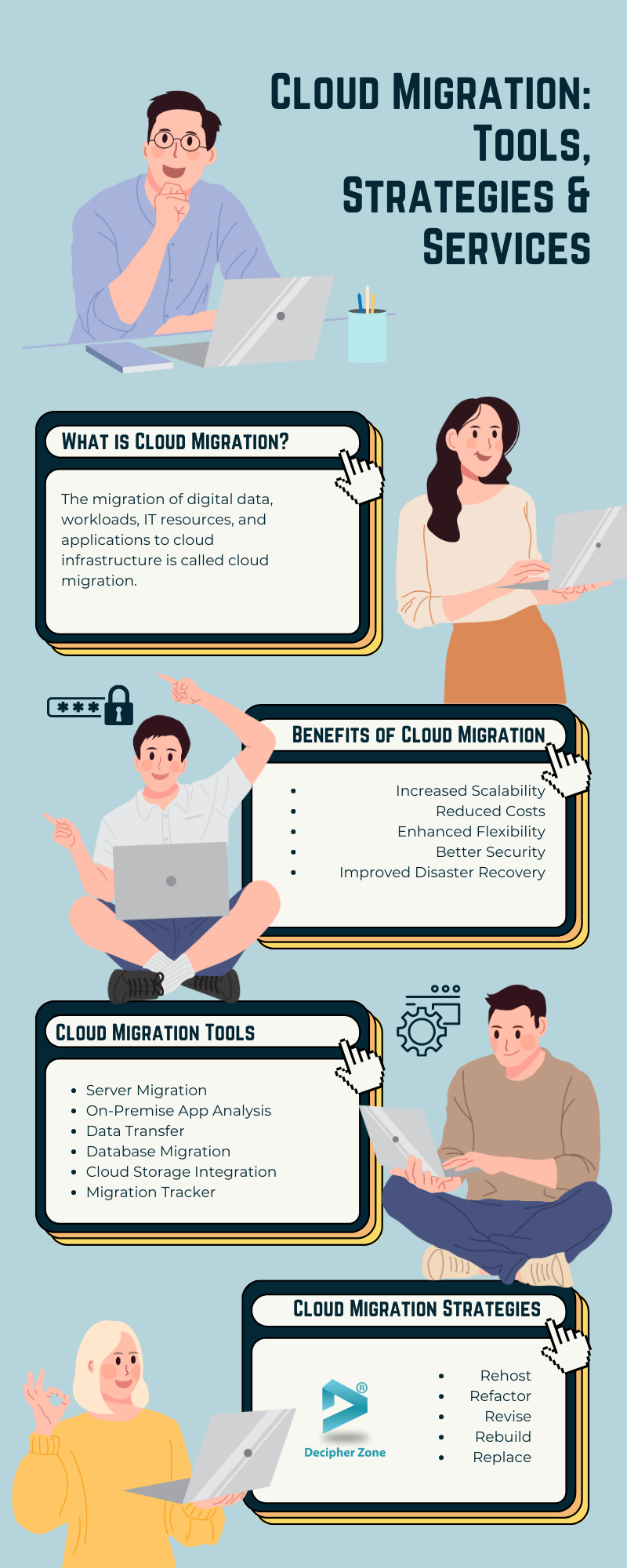
- The 7 Rs framework (Rehost, Replatform, Refactor, Repurchase, Relocate, Retire, Retain) gives every workload a defined migration path.
- Zero-downtime cutover is achievable with proper dependency mapping, live data synchronisation, and a structured hyper-care period.
- Cloud repatriation is real: 35 to 70% of firms are exploring pulling workloads back from public cloud due to hidden costs and vendor lock-in. Architecture decisions must account for this.
- Decipher Zone has migrated cloud infrastructure for clients across logistics, fintech, healthcare, and ecommerce — in India, UAE, Saudi Arabia, and Europe.
What is Cloud Migration?
Cloud migration is the process of moving digital assets (applications, data, workloads, and IT infrastructure) from on-premises data centres or legacy systems to a cloud environment hosted by providers such as Amazon Web Services, Microsoft Azure, or Google Cloud. The migration can be complete (full cloud) or hybrid, where some systems move to the cloud while others remain on-premises.
In 2026, cloud migration has shifted from a purely technical exercise to a strategic business decision. Organisations are no longer asking whether to move to the cloud but how to migrate in a way that enables the next ten years of growth — including AI workloads, real-time data processing, and compliance with increasingly strict data sovereignty regulations.
Search interest in cloud migration services grew 350% in 2026 compared to the prior year, reflecting how many organisations have made this transition a board-level priority. The days of maintaining ageing on-premise servers to avoid the complexity of migration are ending. The question has become: what does a migration that sets us up for the next decade look like?
Read: Cloud Application Development
The 2026 Cloud Migration Reality
Before diving into process, understanding the current landscape matters. Three realities are reshaping how organisations approach migration in 2026, and any strategy that ignores them will underperform.
Cloud repatriation is a real counter-trend. Between 35 and 70% of firms are now exploring how to pull workloads back from public cloud due to hidden costs and vendor lock-in. "Cloud shock" (the experience of receiving cloud bills that are 20 to 40% above projections) is common when legacy applications designed for on-premises consumption are moved without optimisation. This does not mean the cloud is wrong for these organisations. It means simple lift-and-shift without architectural consideration rarely delivers the promised economics.
Hybrid cloud is growing faster than full cloud. Hybrid cloud environments are growing at an 18.35% compound annual growth rate, reflecting the reality that most organisations will maintain some on-premises systems alongside cloud deployments for the foreseeable future. Data sovereignty requirements, compliance obligations, legacy system dependencies, and latency-sensitive workloads all create legitimate reasons to retain infrastructure on-premises while moving everything else.
AI-readiness is now a migration goal. In 2026, organisations that migrate without considering how their cloud architecture will support AI and machine learning workloads are making the same mistake they made in 2015 when they migrated without considering real-time data needs. Cloud infrastructure designed for AI (with the right compute resources, data pipeline architecture, and ML platform integration) looks different from generic cloud infrastructure. Getting it right now is significantly cheaper than retrofitting it later.
The migrations that succeed in 2026 are built around these three realities: optimised architecture that avoids cloud shock, hybrid-ready design that does not create vendor lock-in, and AI-ready infrastructure that delivers value beyond cost reduction.

Benefits of Cloud Migration
The business case for migration is well-established and backed by measurable outcomes across industries. Here is what organisations consistently gain — with the numbers that back the claims.
Reduced costs: Most SMBs save 20 to 30% on IT costs after migrating from on-premises to cloud. The savings come from eliminating hardware purchasing and maintenance, reducing data centre operational costs, and shifting from capital expenditure (CapEx) to operational expenditure (OpEx). The catch is that these savings only materialise when the migration is paired with proper optimisation — unoptimised workloads can cost more in cloud than on-premises.
Increased scalability: Cloud infrastructure scales on demand. A retail platform can handle ten times its normal order volume during a peak period without pre-purchasing hardware that sits idle the rest of the year. An analytics team can provision a high-performance computing cluster for a week-long data processing job and decommission it when done. This elastic scaling fundamentally changes the economics of infrastructure.
Enhanced flexibility and remote work enablement: Cloud-hosted applications are accessible from any device with an internet connection, from any geography. This is not a nice-to-have in 2026 — it is the baseline requirement for distributed teams. Remote work is the default for most knowledge workers, and organisations that depend on on-premises access are operationally constrained in ways that affect hiring, partnerships, and business continuity.
Better security: Major cloud providers invest in security infrastructure that most organisations could not afford to replicate on-premises. AWS, Azure, and GCP maintain certifications for ISO 27001, SOC 2, HIPAA, PCI-DSS, and dozens of other frameworks. Security responsibility is shared, but the cloud provider's portion covers physical security, hardware maintenance, and the infrastructure layer — releasing internal teams to focus on the application and data layers they control.
Improved disaster recovery: Cloud-based backup and recovery is faster, more reliable, and less expensive than traditional disaster recovery approaches that depend on secondary data centres. Recovery point objectives (RPOs) of minutes rather than hours, and recovery time objectives (RTOs) of hours rather than days, are achievable in cloud environments that would require prohibitive cost to replicate on-premises.
Innovation acceleration: Access to cloud-native services (managed databases, serverless computing, ML platforms, container orchestration, and streaming data infrastructure) compresses the time between idea and production for development teams. Teams that previously spent months building and managing infrastructure can use managed services and focus on business logic instead.
Read: Cloud Computing Benefits for Web App Development
The 7 Rs of Cloud Migration Strategy
The 7 Rs framework, refined by AWS and widely adopted across the industry, provides a structured way to assign the right migration approach to each workload in your portfolio. Using one strategy for everything is one of the most common migration mistakes. The right choice per workload depends on technical debt, business criticality, timeline pressure, and long-term architecture goals.
| Strategy | Also Called | What Changes | Best For | 2026 ROI Profile |
|---|---|---|---|---|
| Rehost | Lift and Shift | Nothing — move as-is | Non-critical apps, systems being sunset, fast exit from data centre | Fast, low cost upfront — but risk of cloud shock from unoptimised consumption |
| Replatform | Lift, Tinker, Shift | Minor optimisations (managed DB, OS upgrade) | Mid-market apps needing performance boost without full rewrite | Sweet spot for most businesses — strong balance of continuity and cloud economics |
| Refactor | Re-architect | Application re-architected for cloud-native (microservices, containers) | Strategic business-critical applications where cloud-native capabilities justify investment | 3.5x higher long-term ROI than rehosting (SubIT 2026 analysis) |
| Repurchase | Replace / Drop and Shop | Discard existing app, replace with SaaS | CRM, HR, finance apps where modern SaaS alternatives are superior | Fastest to value for commodity functions — eliminates maintenance burden entirely |
| Relocate | Hypervisor-level move | Move virtualised workloads without OS-level changes | VMware environments moving to cloud, rapid migration of virtualised infrastructure | Fast path for virtualised environments with minimal disruption |
| Retire | Decommission | Application is shut down | Redundant, obsolete, or unused applications | Immediate cost reduction, reduces migration scope and complexity |
| Retain | Revisit | Keep on-premises for now | Recently upgraded hardware, regulatory requirements, pending retirement, specialised hardware dependencies | Avoid forcing migration where it creates risk without benefit |
A typical 2026 migration portfolio uses multiple strategies simultaneously — rehosting non-critical systems to exit the data centre quickly, replatforming the majority of business applications, refactoring the two or three systems where cloud-native architecture creates genuine competitive advantage, and retiring the accumulated technical debt that no longer serves a business purpose.
Read: Cloud Service Provider Guide
The 7-Phase Cloud Migration Process
Cloud migration is not a single event — it is a structured journey through seven phases, each with specific activities, deliverables, and success criteria. Skipping or rushing any phase is where migrations go wrong.
Phase 1: Assessment and Discovery
The foundation of any successful migration is an honest, detailed picture of your current environment. Before choosing a cloud provider or migration strategy, you need to know what you have, how it connects, and what moving it will require.
Assessment covers application inventory (what applications exist and which systems they depend on), infrastructure mapping (server specifications, network topology, storage volumes), dependency analysis (which applications communicate with each other and how), performance baseline (current resource utilisation, peak load patterns, SLA requirements), and compliance obligations (which applications handle regulated data and what that means for cloud placement).
Create a migration readiness scorecard for each application rating technical debt, cloud compatibility, business criticality, and migration complexity. This prioritisation determines which applications migrate in which wave — high-criticality applications with complex dependencies do not go first.
In 2026, AI-assisted discovery tools automate much of this work — ingesting network logs and application performance metrics to generate dependency maps and identify migration risks that manual assessment misses.
Phase 2: Strategy and Planning
With assessment complete, assign a migration strategy (one of the 7 Rs) to each application based on its readiness scorecard. Group applications into migration waves, with simpler, lower-risk applications in early waves and complex, business-critical systems in later ones.
Select your cloud provider or providers. In 2026, multi-cloud strategies have grown 180% as organisations avoid vendor lock-in. Key selection criteria include pricing models for your workload types, geographic availability zones for data residency compliance, native services that align with your technical stack, existing enterprise agreements, and support for the AI and ML platforms your organisation uses or plans to use.
Define your success metrics — cost reduction targets, performance benchmarks, uptime requirements, and timeline milestones. Establish the governance structure: who makes decisions, who approves spending, who owns post-migration operations.
Phase 3: Security Architecture and Compliance
Security architecture is not a phase that happens after the migration is designed — it is embedded from the start. 79% of organisations face serious security or compliance gaps during migration, almost always because security was treated as an afterthought.
Design your cloud security architecture before writing any migration scripts. This includes identity and access management (IAM) policy design, network segmentation and virtual private cloud (VPC) configuration, encryption for data in transit and at rest, cloud firewall rules and security group policies, and audit logging and monitoring configuration.
Map your compliance requirements to cloud controls. For HIPAA, this means Business Associate Agreements with your cloud provider and specific configurations for PHI handling. For GDPR, this means data residency controls ensuring EU citizen data stays within EU regions. For PCI-DSS, this means cardholder data isolation and network segmentation. Get these requirements documented before migration begins — discovering them during cutover is expensive.
In 2026, data sovereignty has become a critical migration constraint. The "Sovereign Cloud" concept (where data must be stored, processed, and managed in compliance with local jurisdictional laws) affects organisations operating across multiple regions. Your architecture must account for where customer data lives and who has access to it.
Phase 4: Infrastructure Design and Build
Build your cloud infrastructure before migrating workloads into it. Use Infrastructure as Code (IaC) tools such as Terraform, AWS CloudFormation, or Azure Resource Manager to provision environments programmatically. IaC ensures environments are reproducible, version-controlled, and consistent across development, staging, and production. It also dramatically simplifies disaster recovery — re-provisioning from an IaC template takes minutes rather than the hours required to manually rebuild infrastructure.
Design for containerisation and portability where possible. Containerised workloads (Docker, Kubernetes) can move between cloud providers without re-architecture, which directly addresses vendor lock-in risk. Build repatriation readiness into your architecture from day one — if your cloud provider raises prices or changes terms, you need the technical freedom to move.
Work with an experienced DevOps team to design container orchestration and CI/CD pipelines that give you portability from the start.
without re-architecture, which directly addresses vendor lock-in risk. Build repatriation readiness into your architecture from day one — if your cloud provider raises prices or changes terms, you need the technical freedom to move.
Set up your CI/CD pipelines, monitoring infrastructure, and logging centralisation before the first workload arrives. Production systems arriving into an environment that is not yet observable are the source of the panicked post-migration firefighting that damages confidence in cloud programmes.
Phase 5: Data Migration
Data migration is the highest-risk phase of any cloud project. Applications can be re-deployed quickly; data, once corrupted or lost, is not recoverable. This phase requires more care than any other.
The key principle is live data synchronisation during migration. Rather than taking a database offline, copying it to the cloud, and then switching over (which creates downtime), modern data migration uses continuous replication — keeping the on-premises database and cloud database in sync while the application is still running, then cutting over with minimal downtime once synchronisation is confirmed.
Validate data integrity at every step. Run checksums before and after migration. Test sample queries against both databases to confirm results match. Run application read operations against the cloud database before switching writes. Data migration failures that go undetected until production use have caused major incidents that set back cloud programmes by months.
For large data volumes, cloud providers offer physical data transfer appliances (AWS Snow Family, Azure Data Box) that bypass network bandwidth constraints for initial bulk transfer, with incremental changes handled over the network thereafter.
Phase 6: Application Migration and Zero-Downtime Cutover
Zero-downtime cutover is achievable, but it requires preparation. The pattern that works is:
Run the application in both environments in parallel (on-premises and cloud) with traffic still hitting the on-premises system. Gradually shift traffic using DNS routing or a load balancer, sending 5%, then 20%, then 50%, then 100% to the cloud environment. Monitor error rates, performance, and user experience at each increment. If problems appear, roll traffic back immediately. If everything is healthy, complete the cutover. Decommission the on-premises system only after a stability period with full production traffic on cloud.
Hyper-care begins at go-live and runs for two to four weeks. During hyper-care, enhanced monitoring is in place, the migration team is on standby, rollback procedures are documented and tested, and daily reviews assess stability. Hyper-care is not optional — it is the period when the difference between a successful migration and an expensive incident most often gets decided.
Have a rollback plan that is tested before go-live, not written in a document nobody has read. The plan should specify exactly what triggers a rollback decision, who has authority to make that call, and precisely what steps execute the rollback. A rollback that has never been rehearsed will not execute smoothly under pressure.
Phase 7: Post-Migration Optimisation
The migration is complete, but the cloud journey is not. Post-migration optimisation is where the economics of cloud are actually realised — and where most organisations leave significant value on the table.
Rightsize your resources. The common pattern is over-provisioning during migration (to ensure performance) and forgetting to rightsize once stable. Running with compute resources that are consistently 30% utilised means paying for 70% of capacity you are not using. Cloud providers offer tooling to identify rightsizing opportunities — use it monthly, not annually.
Implement FinOps practices — the discipline of shared financial accountability for cloud spending across engineering, finance, and operations. Enterprises commonly report cloud bills 20 to 40% above initial projections because of overprovisioning and a lack of spending accountability. Chargeback and showback models, budget alerts, cost anomaly detection, and regular optimisation reviews are the mechanisms that keep cloud costs aligned with the value the spending generates.
Build the continuous improvement loop: performance monitoring informs rightsizing decisions, usage patterns inform reserved capacity purchases, and application performance data informs which workloads are candidates for further refactoring. The cloud is not a static environment — the organisations that extract the most value treat optimisation as an ongoing practice, not a one-time post-migration task.
Cloud Migration Tools and Services
The three major cloud providers offer extensive tooling across every phase of migration. Here is where each category of tool fits.
Discovery and assessment: AWS Application Discovery Service, AWS Migration Evaluator, Azure Migrate (discovery and dependency mapping), Google Cloud Migrate (assessment for GCP targets). These tools automate the inventory and dependency mapping that would take weeks to do manually.
Server migration: AWS Application Migration Service (formerly CloudEndure), Azure Migrate (server assessment and migration), Migrate for Anthos (containerised migration to GCP), VM migration services across all three providers.
Database migration: AWS Database Migration Service (DMS), Azure Database Migration Service, Google Database Migration Service. All three support heterogeneous migrations (Oracle to PostgreSQL, SQL Server to Aurora) with minimal downtime using continuous data replication.
Data transfer for large volumes: AWS Snow Family (Snowcone, Snowball, Snowmobile for petabyte-scale), Azure Data Box, Google Transfer Appliance. For datasets where network transfer would take weeks, physical appliances provide the fastest initial load.
Migration tracking and orchestration: AWS Migration Hub, Azure Migrate hub, Google Cloud Console. These provide centralised visibility across multiple migration projects and waves.
Infrastructure as Code: Terraform (cloud-agnostic), AWS CloudFormation, Azure Resource Manager, Google Cloud Deployment Manager. IaC is not optional for serious migrations — it is how you ensure reproducibility, version control, and disaster recovery capability.
Read: Oracle Cloud vs AWS: Comparison | Google Cloud Tools for Development
Cloud Provider Selection: AWS vs Azure vs Google Cloud
Choosing the right cloud provider is a decision that shapes your architecture, your team's skills requirements, and your vendor relationships for years. No single provider is best for all workloads — and in 2026, most organisations with significant cloud footprints use at least two.
Amazon Web Services (AWS) leads the market with the broadest service catalogue, the largest global footprint, and the deepest ecosystem of partners and tooling. AWS is the default choice for organisations without a compelling reason to choose otherwise. Its strength is breadth — there is a managed service for nearly every use case, and its ML and AI platform (SageMaker) is the most mature in the market.
Microsoft Azure is the strongest choice for organisations already running Microsoft workloads — Windows Server, SQL Server, Active Directory, Office 365. Azure's integration with the Microsoft enterprise ecosystem is genuinely superior, and organisations with Microsoft Enterprise Agreements often find Azure pricing advantageous. Its compliance certifications cover more regulatory frameworks than any other provider.
Google Cloud Platform (GCP) leads in data analytics, machine learning infrastructure, and container orchestration (Kubernetes was invented at Google). For organisations building data-intensive products, running large-scale ML workloads, or already using Google Workspace, GCP's native capabilities often outperform alternatives at competitive pricing.
Multi-cloud strategy in 2026 is not about running everything everywhere — that creates operational complexity without proportionate benefit. It is about placing specific workloads with the provider best suited for them: ML workloads on GCP, enterprise applications on Azure, and general infrastructure on AWS, with a unified management layer providing visibility across all three.
Common Cloud Migration Pitfalls
These failure patterns repeat across organisations and geographies. Knowing them before you start is the cheapest form of migration insurance available.
Starting without a strategy. 44% of organisations initiate migrations without a proper strategy. The result is a fragmented collection of migrated workloads that costs more than on-premises, performs worse, and creates new operational complexity rather than reducing it.
Treating rehosting as the destination, not the starting point. Lifting and shifting applications without optimisation moves technical debt to the cloud without any of the economic benefits. A legacy application designed for dedicated server consumption will run inefficiently on elastic cloud infrastructure and generate bills that surprise leadership.
Underestimating data migration complexity. Data migration is the phase where most migrations experience their most serious problems — data loss, data corruption, synchronisation failures during cutover, and missing data that is discovered weeks after go-live. Invest disproportionately in data migration validation.
Skipping the security design phase. 79% of organisations face security or compliance gaps during migration. Retrofitting security controls after migration is significantly more expensive and more disruptive than designing them correctly before workloads move.
No rollback plan. Every migration needs a tested rollback procedure. An untested rollback plan is not a plan — it is a hypothesis that will be stress-tested at the worst possible moment.
Declaring success at go-live. The migration is not complete when workloads are running in the cloud. Post-migration optimisation, rightsizing, and FinOps practices are what determine whether the migration delivers its promised economics over the following 12 to 24 months.
Measuring Cloud Migration Success: KPIs That Matter
A migration without defined success metrics cannot be declared successful or failed — it just ends. Define these KPIs before migration begins and measure them at 30, 90, and 180 days post-migration.
Cost reduction vs baseline: What percentage reduction in total infrastructure cost (CapEx plus OpEx) has been achieved compared to the pre-migration baseline? Track against the business case projection, not an arbitrary target.
Infrastructure unit cost: Cost per unit of compute, storage, and data transfer. Cloud pricing gives you granular visibility that on-premises rarely provides. Use it.
Application performance: Response time, throughput, and error rate for migrated applications compared to pre-migration baselines. Performance regression is a failure signal even when cost is on target.
Availability and uptime: Actual uptime of migrated services versus SLA commitments. Cloud infrastructure should improve availability compared to on-premises for most workloads.
Security posture metrics: Mean time to detect (MTTD) and mean time to respond (MTTR) to security incidents. Number of compliance findings in post-migration audits. Security posture should improve, not degrade.
Developer velocity: Time to provision new environments, time to deploy application updates, frequency of production deployments. Cloud infrastructure that is slower for developers than on-premises is not delivering on its promise.
Cloud cost variance: Actual spend versus budgeted spend. A consistent positive variance (spending more than budgeted) signals optimisation work is needed. Monthly tracking with anomaly alerts prevents cloud bills from becoming quarterly surprises.
How Decipher Zone Helps with Cloud Migration
Cloud migration is not a technology problem — it is an architecture, planning, and execution problem. Decipher Zone has supported cloud migration projects for clients across logistics, fintech, healthcare, and ecommerce verticals, serving organisations in India, UAE, Saudi Arabia, and Europe. Our experience covers migrations to AWS, Azure, and GCP, including complex scenarios involving regulated data, multi-region deployments, zero-downtime cutover requirements, and legacy system modernisation.
What we bring to a migration engagement: a structured assessment process that produces a migration readiness scorecard for every application in scope; architecture design that accounts for data sovereignty, AI-readiness, and vendor portability from day one; CI/CD automation and Infrastructure as Code implementation that makes the migrated environment reproducible and maintainable; and a post-migration optimisation practice that ensures the economics of cloud are actually realised rather than promised and forgotten.
If you want to migrate your infrastructure to the cloud without disrupting operations, without security gaps, and with a clear picture of what success looks like before you start, get in touch with our team or hire experienced cloud developers from Decipher Zone.
Read: Top Cloud Service Providers for Software Development
FAQs About Cloud Migration
What is cloud migration?
Cloud migration is the process of moving applications, data, and IT infrastructure from on-premises data centres or legacy systems to a cloud environment hosted by providers such as AWS, Microsoft Azure, or Google Cloud. It can be a complete move to cloud, a hybrid deployment keeping some systems on-premises, or a multi-cloud distribution across multiple providers. In 2026, cloud migration is understood as a strategic modernisation initiative, not just a technical infrastructure change.
What are the 7 Rs of cloud migration?
The 7 Rs are the framework organisations use to assign the right migration approach to each workload: Rehost (lift-and-shift, move without changes), Replatform (lift-tinker-shift, minor optimisations like managed databases), Refactor (re-architect for cloud-native, highest long-term ROI), Repurchase (replace with SaaS), Relocate (hypervisor-level move for virtualised workloads), Retire (decommission unused applications), and Retain (keep on-premises where migration is not yet appropriate). Most migrations use multiple strategies simultaneously across different applications.
What are the benefits of cloud migration?
Organisations consistently achieve: 20 to 30% reduction in IT costs for SMBs (when properly optimised), elastic scalability without hardware procurement lead times, remote work enablement with anywhere access, improved security through cloud provider certifications (ISO 27001, SOC 2, HIPAA, PCI-DSS), improved disaster recovery with recovery time objectives measured in hours rather than days, and faster development cycles through access to managed cloud services. The key caveat: these benefits require proper planning and post-migration optimisation — they do not materialise from simple lift-and-shift.
How long does cloud migration take?
Timeline depends entirely on scope, complexity, and the strategy applied. A small application rehosted to cloud can be moved in days. A mid-market organisation migrating 50 to 200 applications in planned waves typically takes 6 to 18 months end-to-end, including assessment, planning, phased execution, and post-migration stabilisation. A large enterprise modernising critical business systems with refactoring can take 2 to 4 years. Organisations that try to rush the assessment and planning phases consistently spend more time on the back end fixing problems that proper upfront work would have prevented.
What is zero-downtime cloud migration?
Zero-downtime migration keeps applications running throughout the cutover by synchronising the on-premises and cloud environments before switching traffic. The pattern: run both environments in parallel, use continuous data replication to keep databases synchronised, shift traffic incrementally using DNS routing or a load balancer (5%, 20%, 50%, 100%), monitor each increment for errors or performance degradation, and complete the cutover only when the cloud environment is demonstrably stable under production traffic. Rollback is immediate if problems appear. This approach requires careful preparation but eliminates the business disruption of maintenance windows.
What is cloud repatriation and should I be concerned?
Cloud repatriation is the trend of organisations moving workloads back from public cloud to private cloud or on-premises environments, typically due to unexpected cost increases, vendor lock-in concerns, data sovereignty requirements, or performance problems with latency-sensitive workloads. Between 35 and 70% of organisations are exploring repatriation in 2026. The response is not to avoid cloud but to design for portability: containerised workloads, Infrastructure as Code, multi-cloud or hybrid architecture, and cloud-agnostic data formats all reduce lock-in and make repatriation or cloud-to-cloud movement feasible if circumstances change.
What is cloud migration cost management (FinOps)?
FinOps is the practice of shared financial accountability for cloud spending across engineering, finance, and operations teams. Without FinOps, organisations commonly overspend cloud budgets by 20 to 40% through overprovisioning, orphaned resources, and lack of cost visibility. Core FinOps practices include chargeback models that attribute costs to the teams generating them, budget alerts and anomaly detection, monthly rightsizing reviews, reserved capacity purchasing for predictable workloads, and regular optimisation reviews. FinOps should be implemented before or at the time of migration, not as a response to a bill that is already too high.
Can Decipher Zone help with our cloud migration?
Yes. Decipher Zone has supported cloud migration projects across logistics, fintech, healthcare, and ecommerce verticals for clients in India, the UAE, Saudi Arabia, and Europe. We handle the full migration lifecycle: assessment and readiness scoring, architecture design, security and compliance implementation, Infrastructure as Code setup, phased data and application migration, zero-downtime cutover planning, and post-migration optimisation. We work with AWS, Microsoft Azure, and Google Cloud. Get in touch to discuss your migration or hire our cloud development team.
Author Profile: Mahipal Nehra is the Marketing Manager at Decipher Zone Technologies, specialising in content strategy and tech-driven marketing for software development and digital transformation. He works closely with Decipher Zone's cloud engineering teams, translating complex migration experiences into practical guidance for IT leaders and business decision-makers planning their cloud transitions.
Follow us on LinkedIn or explore more at Decipher Zone.